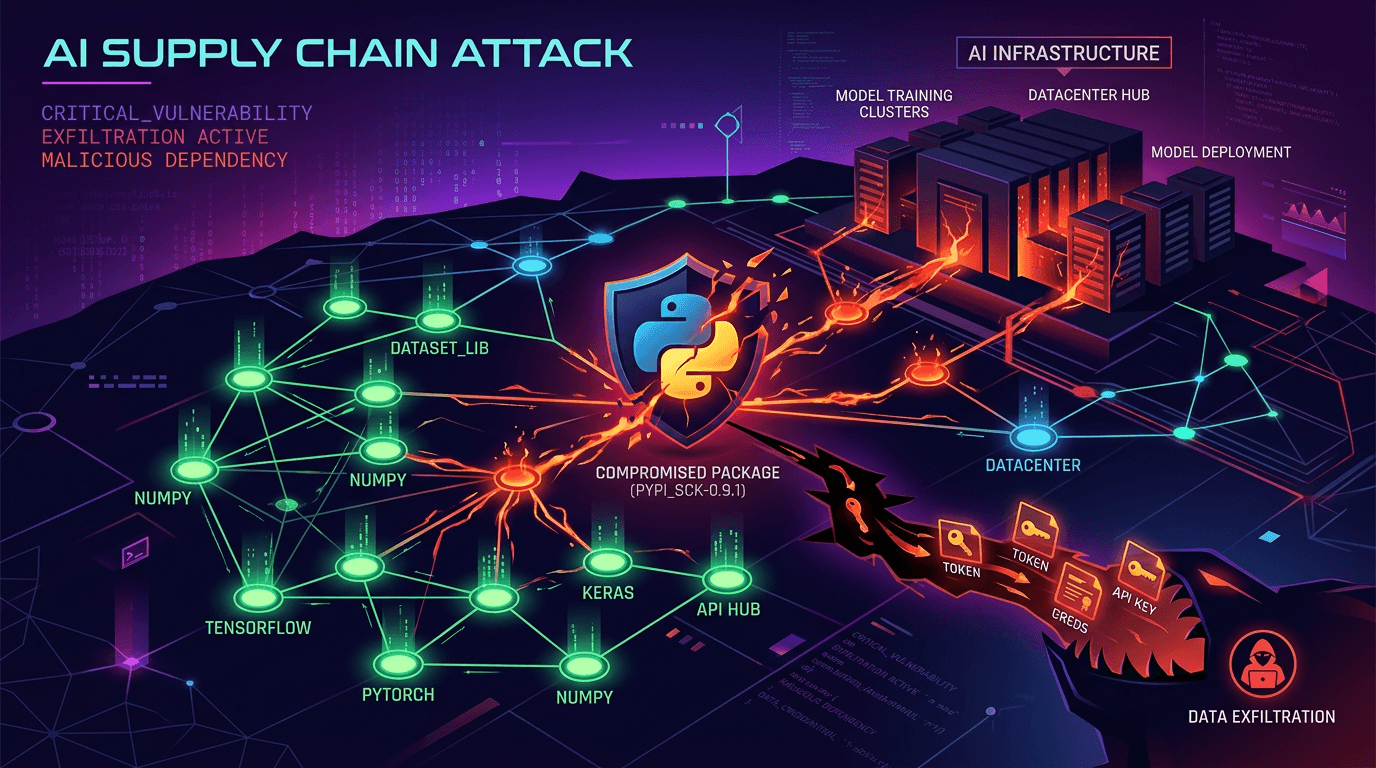
What happened in the LiteLLM supply-chain attack?
On 24 March 2026 malicious versions of LiteLLM were published to PyPI and stayed live for about forty minutes before being quarantined. In that window they harvested SSH keys, cloud credentials and CI tokens. The attackers reached LiteLLM through Trivy, a security scanner running in its own pipeline: a security tool used to compromise everything downstream of it.
On March 24, 2026, a Python package called LiteLLM was poisoned. The malicious releases went live at 10:39 UTC and were available for about 40 minutes before PyPI quarantined them, according to LiteLLM's own security update — and in that window every new installation pulled down credential-stealing malware.
LiteLLM isn't a household name. It's plumbing—the library that connects applications to AI models like Claude, GPT, and Gemini. It handles the API calls so developers don't have to write that code themselves.
It also gets around 95 million downloads per month (BleepingComputer), which is what made it worth attacking.
Malicious versions 1.82.7 and 1.82.8 contained a multi-stage payload that harvested SSH keys, cloud credentials, Kubernetes secrets, and CI/CD tokens. GitGuardian's analysis of the exfiltration archive — a 153GB archive obtained by Hudson Rock — found 433,909 stolen files, including 118,829 CI runner dumps traced to 2,488 corporate domains.
What the Malware Did
The attack wasn't subtle. Once installed, the malicious LiteLLM versions executed a multi-stage payload:
Stage 1: Credential Harvesting The malware scanned the infected system for:
- SSH keys and config files
- AWS, GCP, and Azure credentials
- Kubernetes secrets and service account tokens
- Cryptocurrency wallet files
- Environment files (
.env,.env.local) - Database connection strings
Stage 2: Persistence It installed a systemd backdoor to survive reboots and maintain access even after the package was removed.
Stage 3: Lateral Movement In Kubernetes environments, the malware attempted to deploy privileged pods across cluster nodes, spreading through the infrastructure.
Version 1.82.8 was particularly aggressive. It used a Python .pth file—litellm_init.pth—that executes automatically whenever any Python interpreter starts, even if LiteLLM isn't being used. Just having the package installed was enough.
How the Attack Happened
This is where it gets concerning. The attackers didn't guess a PyPI password. They chained compromises together.
Step 1: Compromise Trivy
Trivy is a vulnerability scanner maintained by Aqua Security. Organizations use it in their CI/CD pipelines to scan for security issues before deploying code.
On March 19, 2026, the threat group TeamPCP compromised Trivy. Per Datadog Security Labs, they published a malicious trivy v0.69.4, force-pushed 76 of 77 aquasecurity/trivy-action tags to attacker-controlled commits, and replaced all seven aquasecurity/setup-trivy tags. Anyone running Trivy in their pipeline was now running attacker-controlled code.
Step 2: Harvest Credentials
Trivy runs in privileged CI/CD environments with access to deployment secrets, package registry tokens, and infrastructure credentials. The attackers collected everything.
Step 3: Compromise LiteLLM
Using credentials stolen from a CI/CD pipeline that used Trivy, the attackers pushed poisoned versions of LiteLLM to PyPI. A security tool became the attack vector for compromising AI infrastructure.
This is the new playbook: compromise a security tool to compromise everything that security tool touches. The more trusted the tool, the more valuable the target.
Why This Matters for Your Codebase
You might be thinking: "I never installed LiteLLM directly. I'm fine."
That's not how modern dependencies work.
LiteLLM gets pulled in as a transitive dependency by other AI tools and frameworks. The developer who discovered this attack found it because their Cursor IDE installed it automatically through an MCP plugin. They didn't choose to install it. They didn't know it was there.
This is the reality of dependency trees in 2026. You control what you install directly. You don't control what those packages install.
Check If You're Affected
1. Search your lockfiles:
# Python
grep -r "litellm" requirements.txt pyproject.toml poetry.lock Pipfile.lock

# Check specific versions
pip show litellm | grep Version
2. Check your dependency tree:
# See what installed litellm
pip show litellm | grep "Required-by"

# Full dependency tree
pipdeptree | grep -A5 "litellm"
3. Check version history:
If you installed or updated any Python packages on March 24, 2026, check whether LiteLLM was pulled in and at what version. Versions 1.82.7 and 1.82.8 were malicious.
If You Installed the Malicious Version
Assume compromise. Take these steps immediately:
-
Rotate all credentials on the affected system—cloud provider tokens, database passwords, SSH keys, API keys for external services
-
Check for persistence: Look for unexpected systemd services and remove the malicious
.pthfile:find /usr -name "litellm_init.pth" 2>/dev/null find ~/.local -name "litellm_init.pth" 2>/dev/null -
Audit Kubernetes clusters if the infected system had cluster access—check for unexpected privileged pods
-
Review logs for exfiltration activity to domains including
checkmarx.zoneandmodels.litellm.cloud -
Update to a clean version: LiteLLM 1.82.9+ has been verified clean
The Bigger Problem
This attack is a symptom of something systemic.
The AI ecosystem is growing faster than its security practices. Packages like LiteLLM become load-bearing infrastructure almost overnight, handling credentials and API keys for thousands of organizations. But the security around them hasn't caught up.
TeamPCP—the group behind this attack—has publicly stated more is coming. They're specifically targeting AI infrastructure because that's where the valuable credentials live. AI tools talk to external APIs. They need API keys. Those keys are valuable.
The attack chain here (Trivy → CI/CD credentials → LiteLLM → end users) shows how one compromise cascades. Security tools are high-value targets because they run in privileged contexts. Package registries are high-value targets because one compromise affects millions of installations.
This is the second major supply chain attack in 2026 targeting AI development tools. The pattern is clear: attackers are following the AI gold rush, hitting infrastructure that developers trust implicitly.
What You Should Do Now
Immediate Actions
- Audit your Python dependencies for LiteLLM and check installed versions
- Pin your dependencies to specific versions rather than allowing automatic updates
- Review CI/CD security: Which tools run in your pipeline? What credentials do they have access to?
- Enable lockfile verification to detect when packages change unexpectedly
Ongoing Practices
Use hash verification for critical dependencies:
# requirements.txt with hashes
litellm==1.82.9 --hash=sha256:abc123...
Isolate AI tooling:
Don't give AI development tools access to production credentials. Use separate API keys with limited scope.
Monitor your dependency tree:
# Get alerts when dependencies change
pip-audit
Scan regularly:
Automated security scanning catches issues before they reach production—but as this attack shows, even scanners can be compromised. Defense in depth matters.
Check your dependencies for security issues
Get a security scan that checks your codebase for vulnerable dependencies, exposed secrets, and infrastructure risks. Free for public repos.
Scan Your Repo →The Uncomfortable Truth
The tools we use to build software are themselves software. They have dependencies. They have vulnerabilities. They can be compromised.
In the AI rush, we're adding more dependencies, connecting to more external services, and handling more credentials than ever. Each connection is a potential attack surface.
The LiteLLM attack lasted two hours. It affected approximately 500,000 installations. The credentials stolen during those two hours could enable attacks for months or years to come.
Two hours was enough.
The question isn't whether supply chain attacks will continue. They will. The question is whether your security posture can survive when a package you've never heard of—buried five levels deep in your dependency tree—turns hostile.
Related reading:
- Find Exposed Secrets in GitHub: Scan for credentials that shouldn't be in your codebase
- Code Audit Checklist: Complete security and code quality checklist
- Is Your AI-Generated Code Production Ready?: Security considerations for AI-assisted development
Know what's in your codebase
Security vulnerabilities, dependency risks, and architecture issues—found automatically. Results in 3 minutes.
Get Your Free Scan →